Make color that hits.
ColorSLCT collides hues the way big campaigns do — acid papers, electric accents, pairs 100–210° apart — and holds every result to published contrast floors. Loud where it should be. Readable everywhere it counts. It runs on your machine, in your browser.
Free to use · Pro is $29, paid onceOne screen. Zero timid choices.
No wizard, no locked panels. Tokens, moods, ten harmony models, the report, history, and export share one surface — and the same surface fits a phone.
The working view
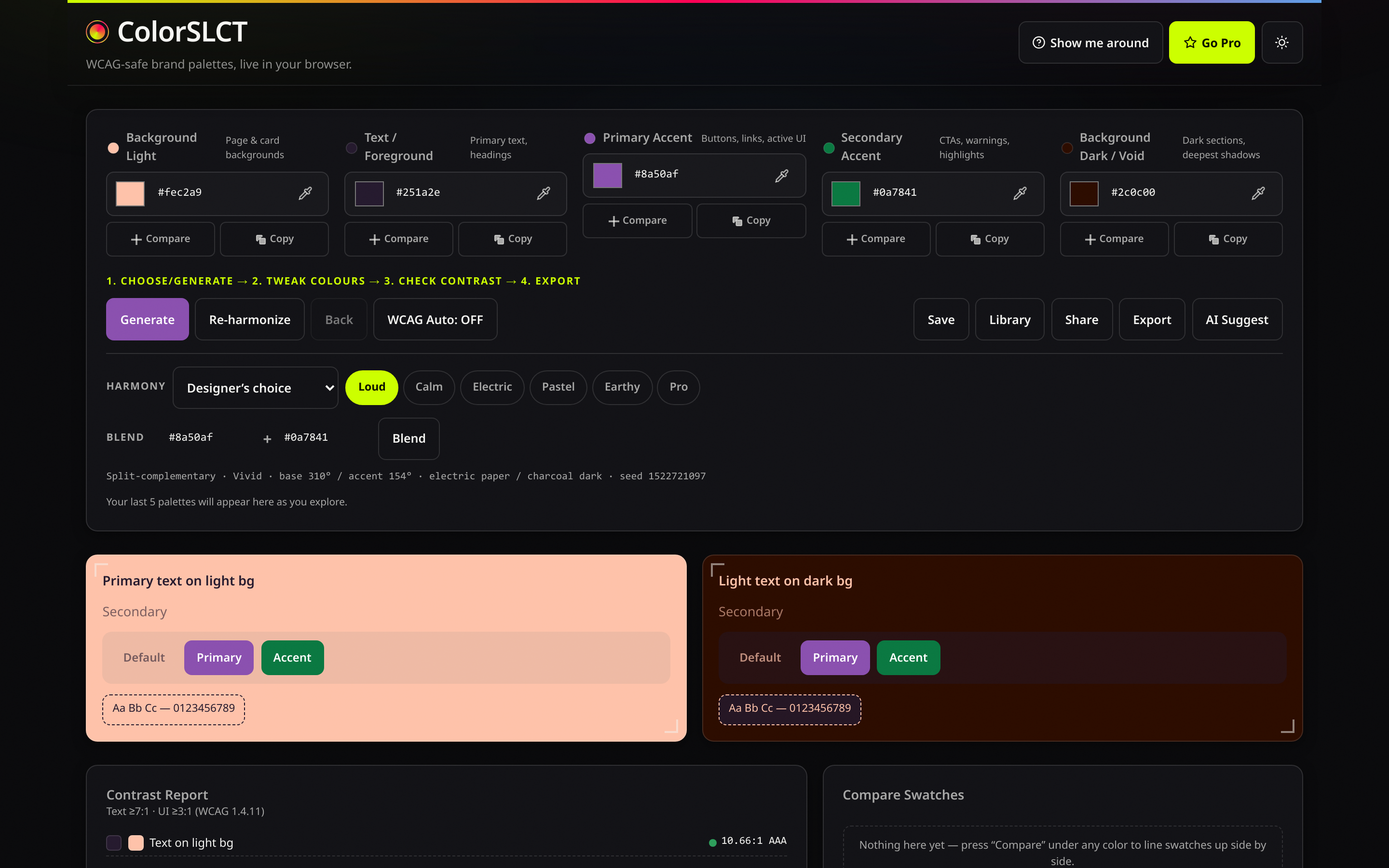
Where a palette gets made: five tokens with live hex entry, mood and harmony chips, blend inputs, one Generate button.
Reasons, not magic
Each generation prints its harmony, hue angles, paper, and seed under the palette.
History that holds
Five steps of undo, kept between visits when you allow storage.
Preview in place
Buttons, cards, and copy render in your tokens while you edit.
The same build in daylight
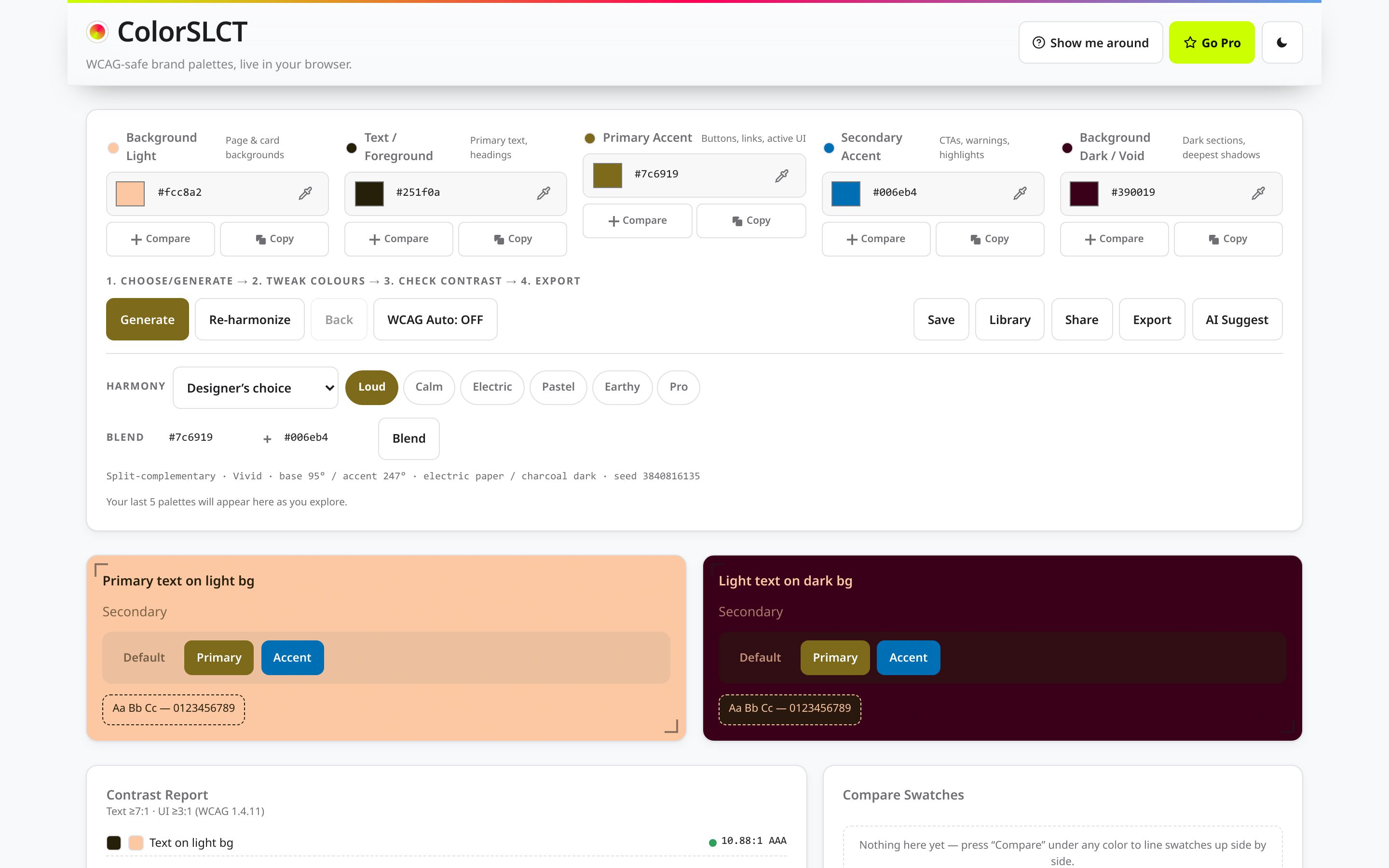
The light theme is drawn from the same tokens — never an inverted filter — and what you check is what ships.
Contrast report
AA, AAA, and UI thresholds checked live on each pairing.
Compare tray
Pin palettes side by side before you commit.
Share by URL
The URL carries the palette itself. Nothing is uploaded.
Phone-sized, never shrunk
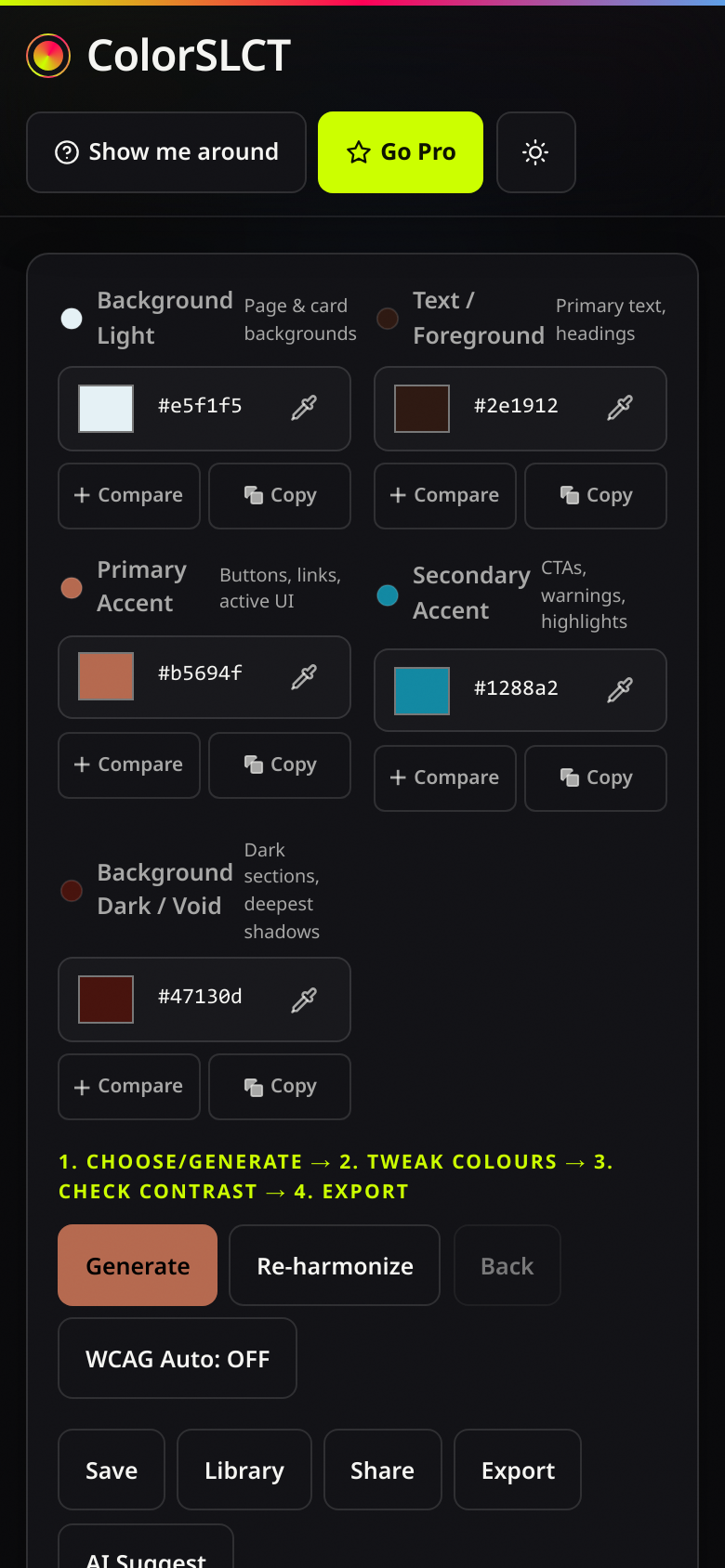
Drawn for small screens before wide ones. All controls hold 44px touch areas, swatches stay full-width, and both themes ride along.
Same engine
Generation, floors, and exports match desktop byte for byte.
No sideways scroll
Verified at 390px on every build.
Built for color that has to land
Clashes on purpose
The Clash engine collides hues 100–210° apart at up to full gamut chroma — the kind of pair big campaigns are built on, made on demand.
No two alike
Ten harmony models, four paper personalities, dark surfaces that swing from pitch black to plum and petrol, and a 96-palette memory that re-rolls anything rhyming with a recent run. Every mood owns its own dark-tint vocabulary — Electric never ships a brown, Earthy never ships a hot violet.
Depth by design
Accents overshoot the floor on purpose and land at different depths run to run — rich one click, electric the next, always inside the floors.
The math stays visible
Contrast is enforced while the palette is designed, and the numbers print next to the swatches. What leaves the studio passes.
Your machine, your colors
No account, no upload. Storage only after you accept, and the AI assist keeps your own key in session.
Free to start, cheap to own
The full engine is free. Pro adds every export format and an unlimited library for one payment of $29.
The floors, published and enforced
Each claim below is enforced in code and re-checked on every build. These are the floors the designer will not cross.
- Text on the light surface
- 7.0:1 or higher
- Accents on the light surface
- 3.5:1 floor · Pastel 3.0:1
- Accents on the dark surface
- 3.0:1 floor · Calm & Earthy 2.5:1
- Light surface vs dark surface
- 5.5:1 or higher
- Electric mood chroma
- 85% of the sRGB ceiling at its lightness
- Near-repeats across 120 straight runs
- 0
How a palette gets loud
Hue, scored — never rolled
Candidate hues are scored against a memory of recent picks and weighted by mood; the wheel gets covered, never camped.
Chroma at the cusp
Saturation is set against the sRGB gamut ceiling for each lightness — loud lands loud, Pastel stays paper-soft, nothing clips.
Depth on purpose
A per-run overshoot past the floor puts accents at genuinely different depths. Rich or electric, always readable.
Tested like software, because it is
3,318 engine checks and 111 assertions run before a build ships, plus a browser suite that drives the product like a person — moods, harmonies, blends, exports, share URLs, licensing, the tour, both themes, and a 390px phone.
Seeds reproduce
A seeded generation returns the same palette every time, on any machine.
Blends stay honest
Feed it two hexes and the result is validated against the same floors as everything else.
Three moves to loud
Generate or blend
Pick a mood and a harmony — Clash when you want the collision — or feed the engine two hexes you already own. Spin until one bites.
Read the report
Every pairing measured against AA, AAA, and UI thresholds — numbers printed, nothing hidden behind a checkmark.
Export and go
CSS variables, SCSS, Tailwind, W3C JSON, or SVG — named tokens, ready to paste into the codebase.
One price. Paid once.
No subscription, no seats, no renewal email.
Free
$0What is in it
- The full designer — every mood, every harmony
- Live contrast report on all pairings
- CSS variables export
- Three saved palettes and share URLs
- Light and dark themes
Pro
$29 One paymentEverything in Free, plus
- SCSS, Tailwind, W3C JSON, and SVG exports
- Unlimited palette library
- Gift codes to hand a copy to someone
- Every future update included
Bought already? Redeem your key in the studio.
Straight answers
Do I need an account?
No. The studio opens and works without a login, and the free plan has no signup either.
Where does my work live?
In your browser's storage, after you accept the consent banner. Decline it and the studio keeps working — it only stops remembering between visits.
What does Pro add?
SCSS, Tailwind, W3C JSON, and SVG exports, an unlimited library, gift codes, and future updates. The designer itself is identical on both plans.
Is it one payment?
$29 once, licensed per person. Keys are redeemed in the studio and verified without any server.
How does the AI option work?
It is optional. You paste your own DeepSeek key, it lives only in that session, and the engine validates whatever comes back before it touches your palette.
Does it work on a phone?
It does. The studio is drawn for 390px and up, with 44px touch areas and both themes.
Go make something loud.
The studio designs its opening palette live, on your machine — a set nobody has seen before, with its reasoning printed underneath.
Open the studio